What's inside
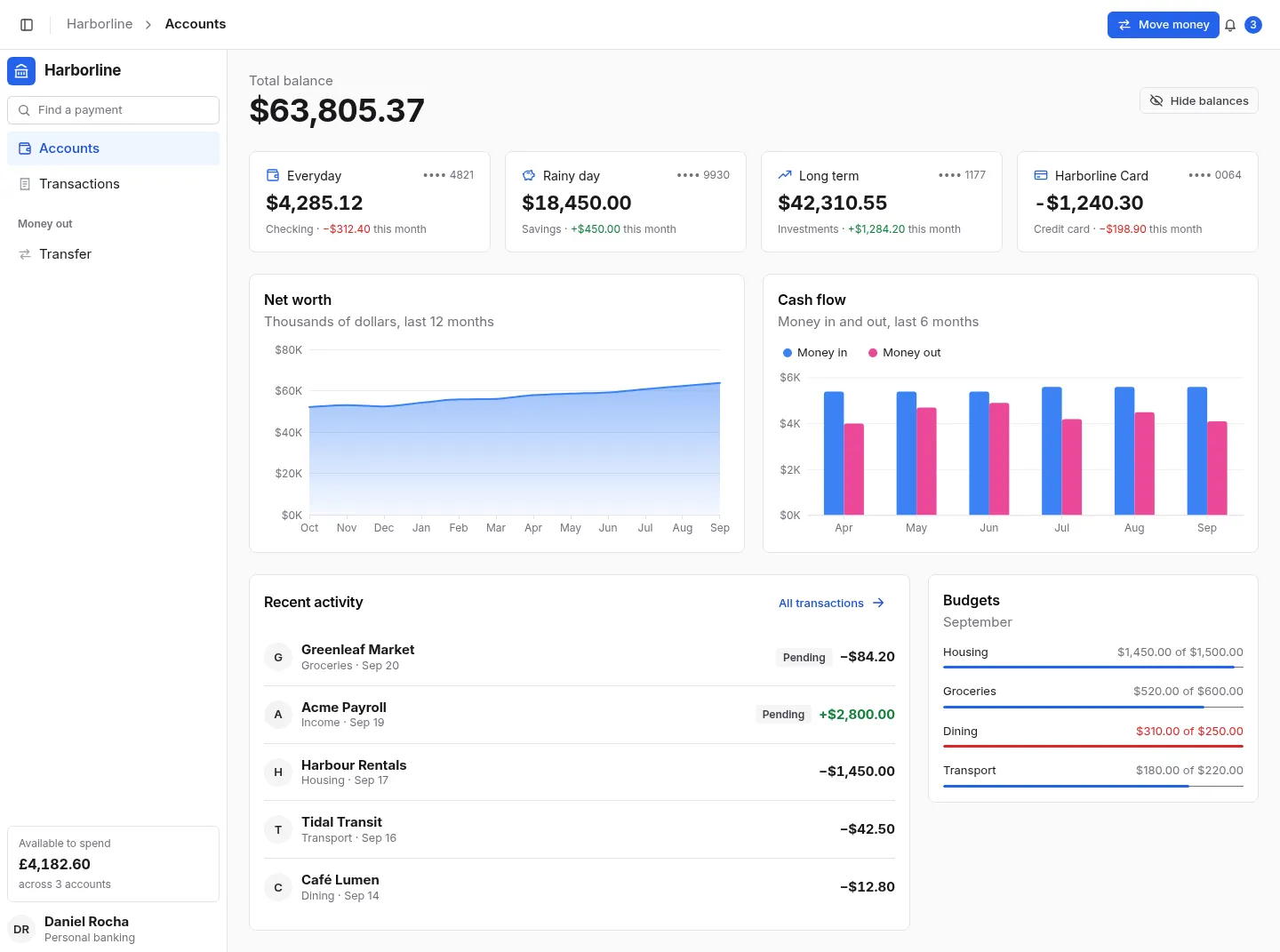
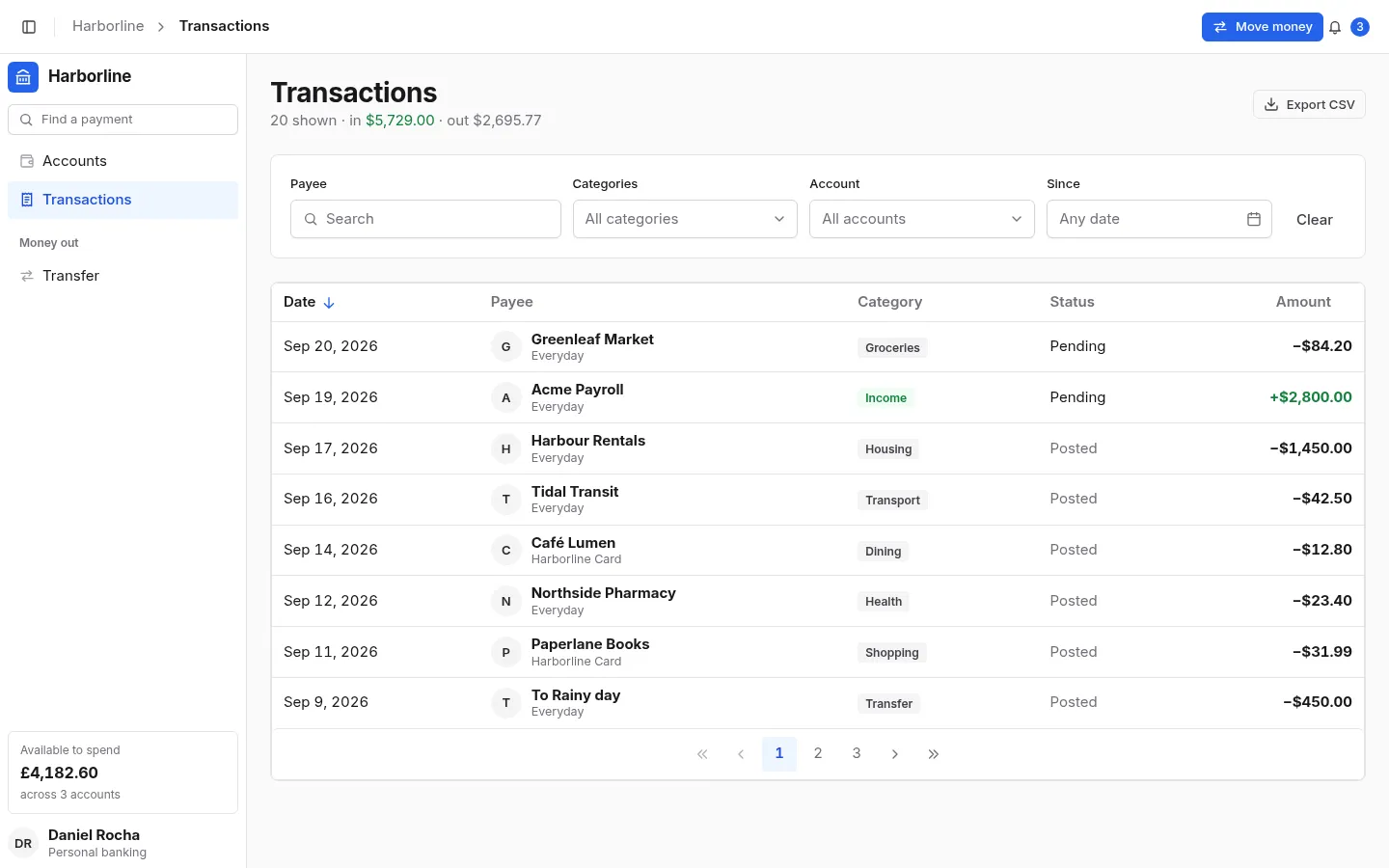
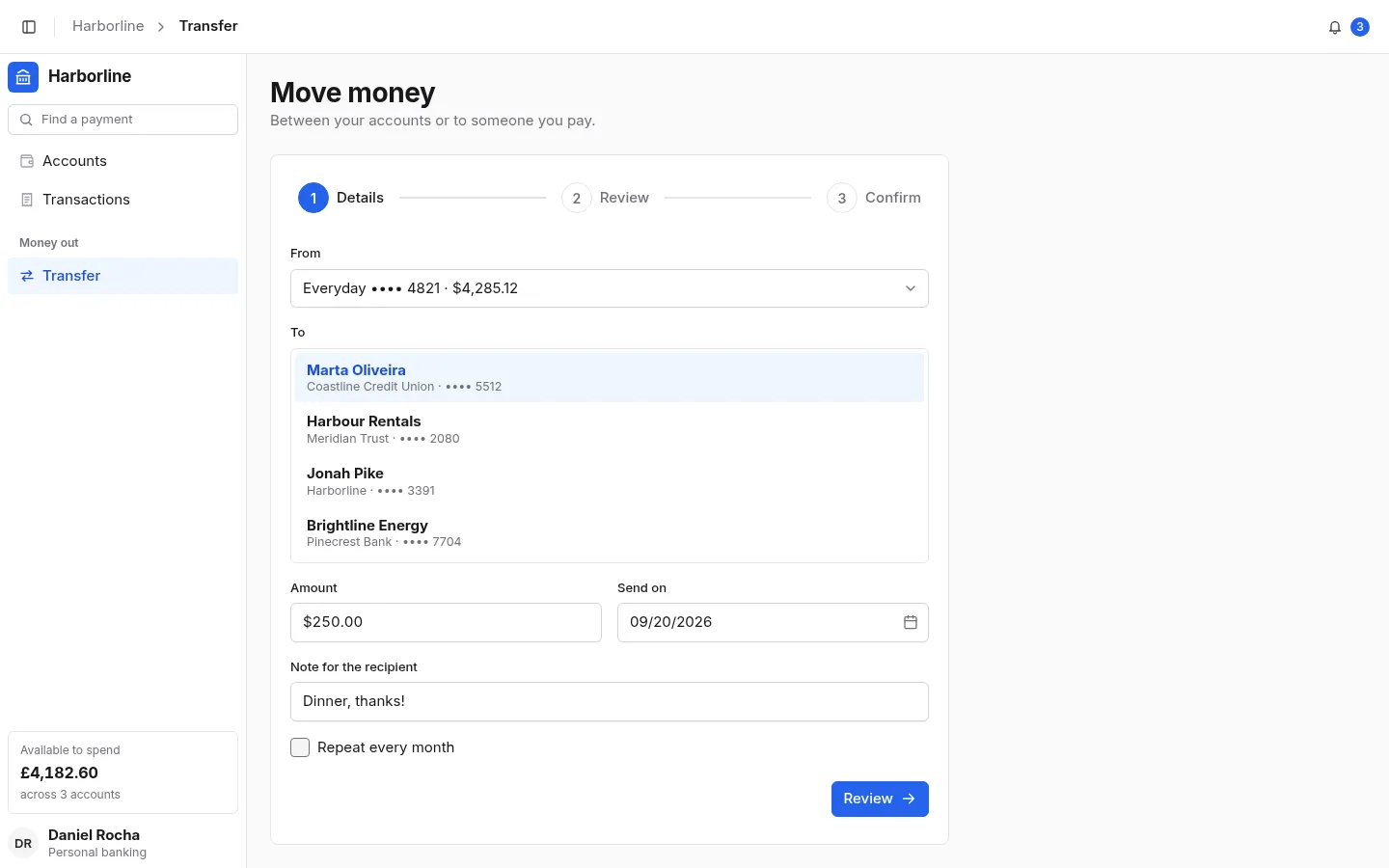
3 screens and 19 components, wired together with shared state and local navigation.
Features
- Account cards with a one-click “hide balances” for screen sharing
- Net worth and cash-flow charts, and budgets that turn red when exceeded
- A transaction table filtered by payee, categories, account and date
- A linear transfer: payee list, currency input, schedule, review, one-time code
- The transfer updates the balance and appears as a pending transaction
- One header across the top: the collapse button, a breadcrumb, and the sidebar under it
Screens
Questions
About Harborline Bank, and about templates in general.
InputNumber and the formatters take a currency and a locale; change USD and en-US in data.ts and the transfer step.