Vitral 0.2

Brightpath Academy

A student’s side of an online school. Pick up where you left off, browse and filter the catalogue, follow a lesson with its syllabus, notes and discussion, see classes and deadlines in a calendar, and track scores in a gradebook.

EducationVideoCalendar

Screens

  1. 1

    Courses

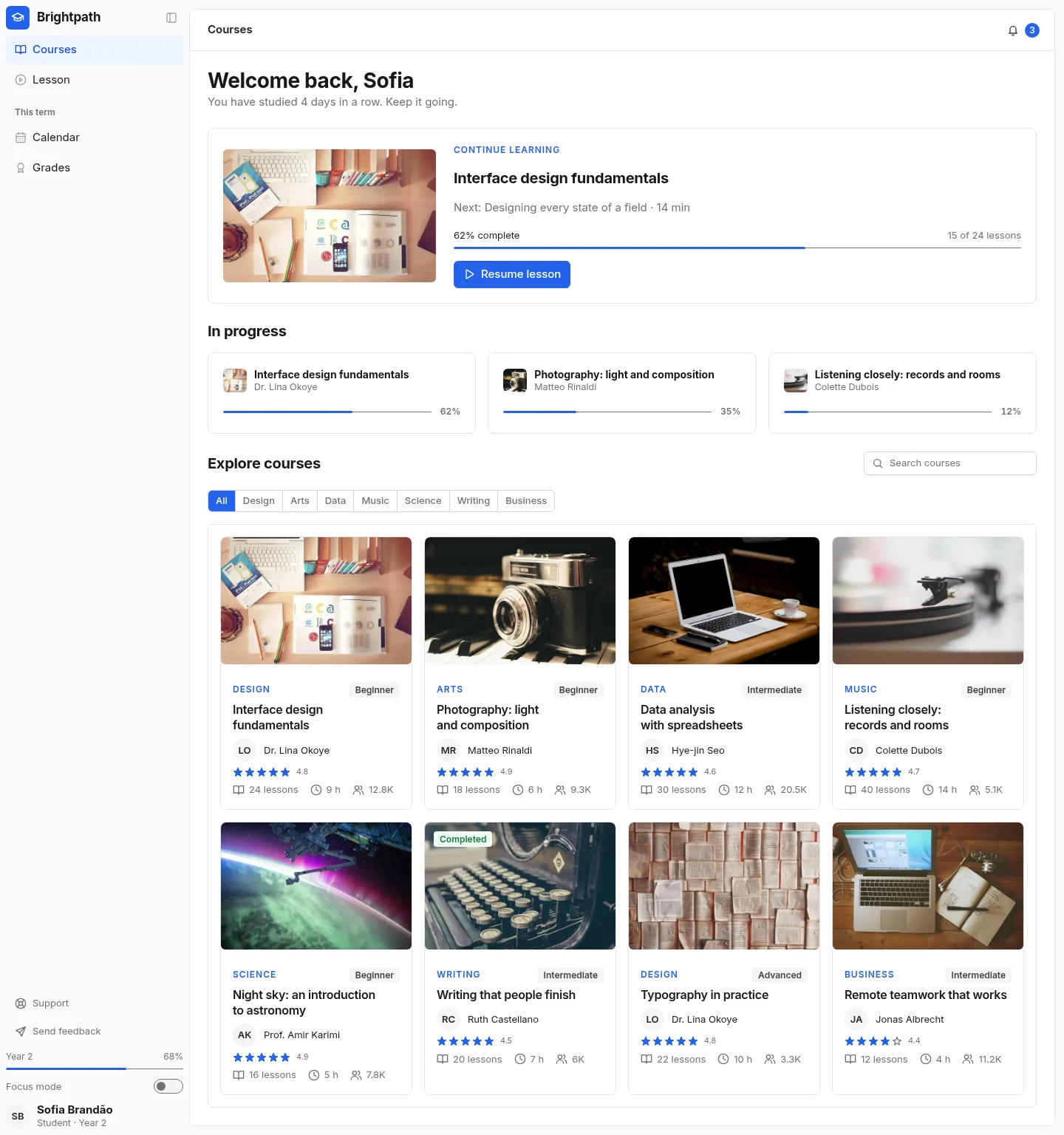
    Continue learning and a filterable course catalogue

    Open live
    Brightpath Academy: the Courses screen
  2. 2

    Lesson

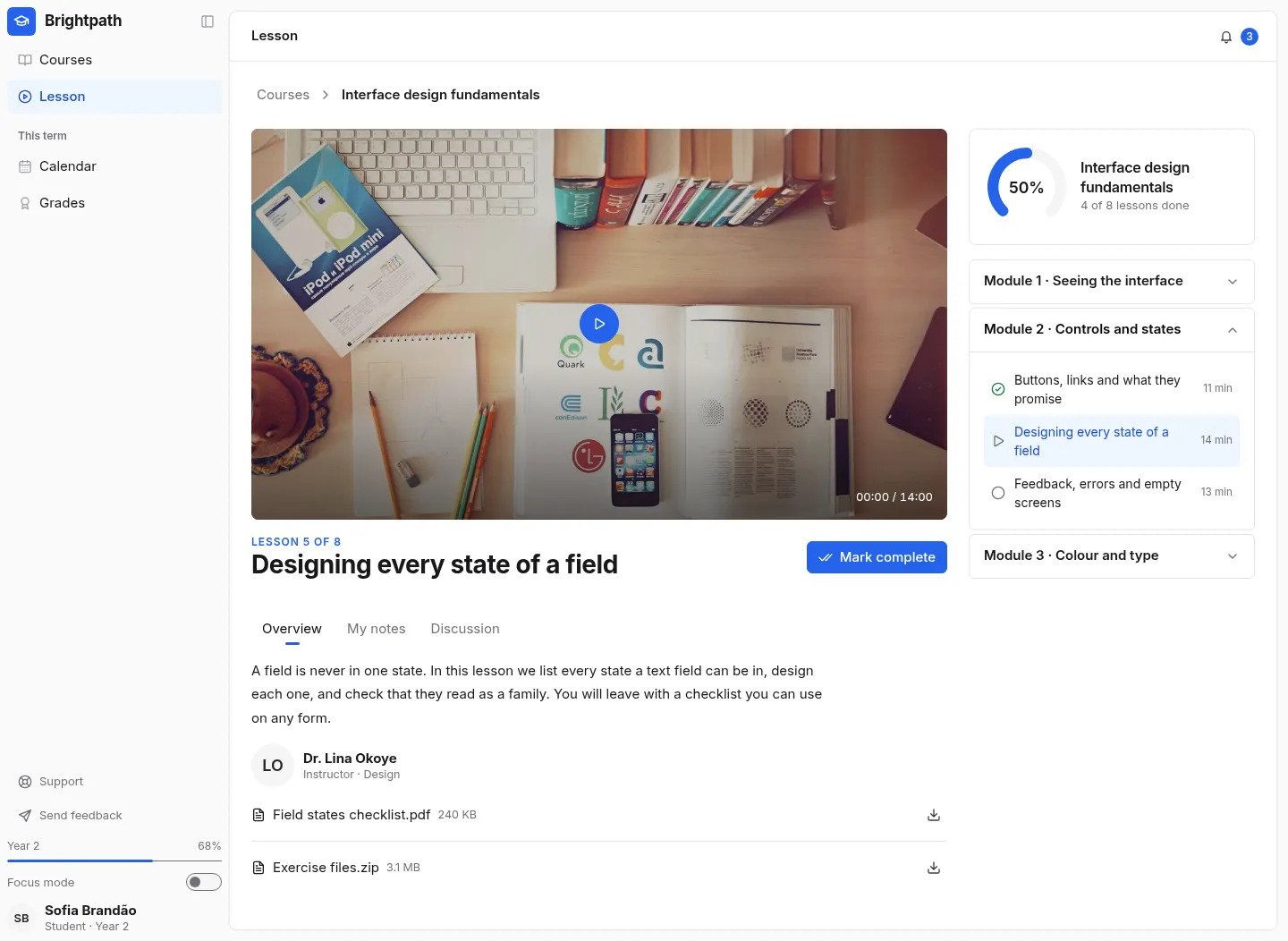
    A video lesson with the syllabus, progress and notes

    Open live
    Brightpath Academy: the Lesson screen
  3. 3

    Calendar

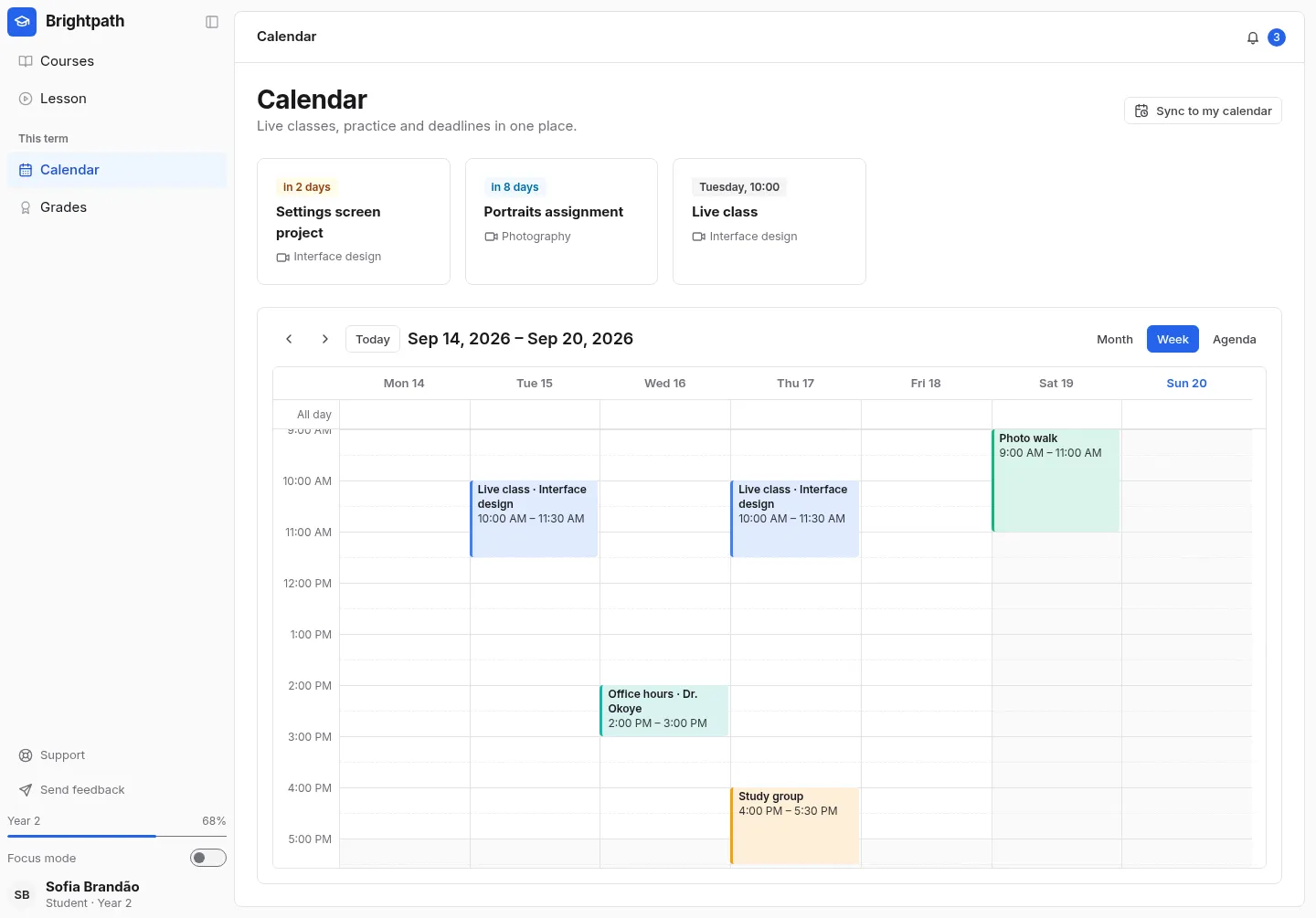
    Classes and deadlines in Schedule

    Open live
    Brightpath Academy: the Calendar screen
  4. 4

    Grades

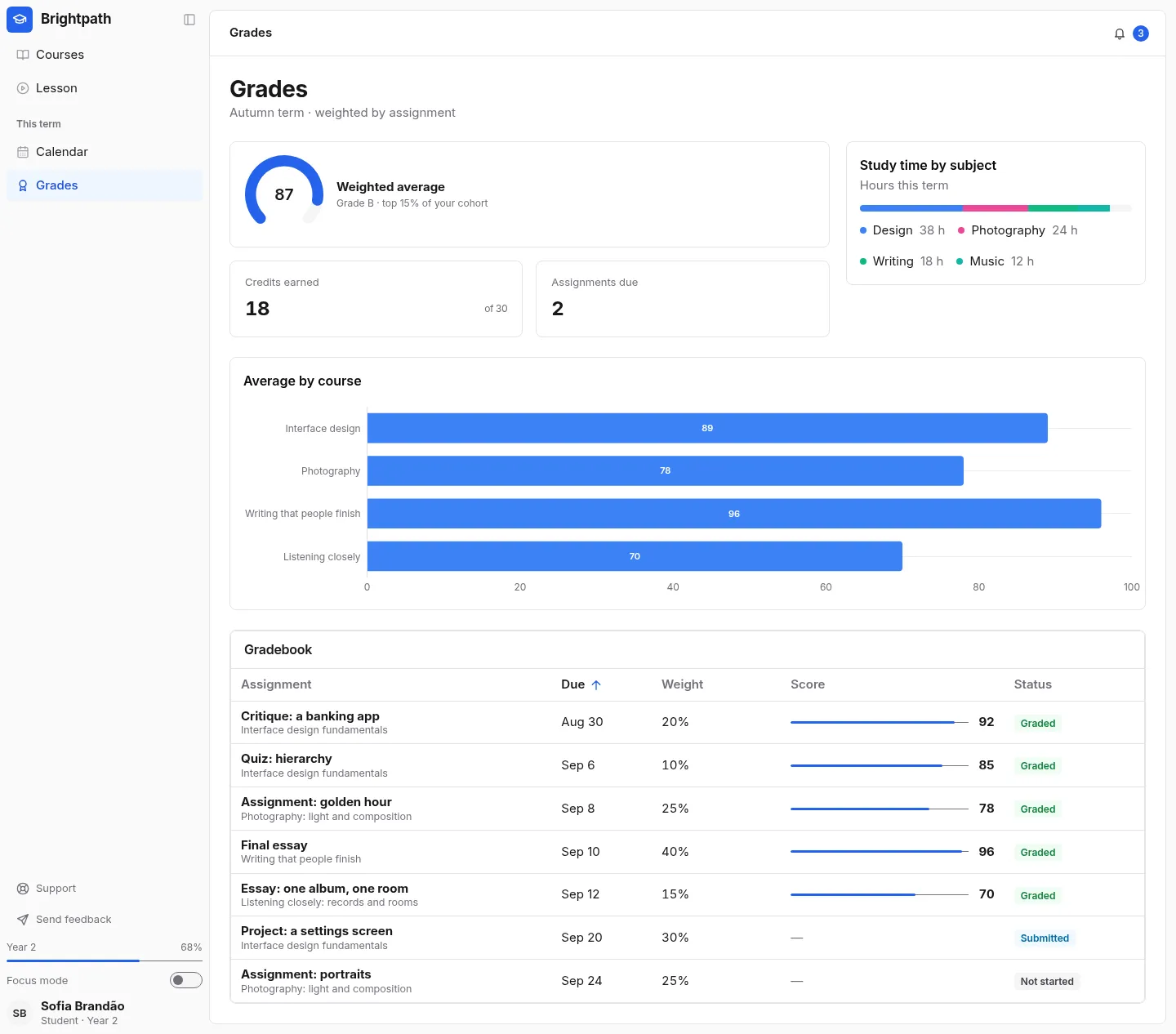
    Scores by course, an average and a gradebook table

    Open live
    Brightpath Academy: the Grades screen

What's inside

4 screens and 21 components, wired together with shared state and local navigation.

Features

  • A continue-learning card and progress on every course in flight
  • A course catalogue with subject filters and search
  • A lesson page with a syllabus accordion, completion tracking, notes and discussion
  • A calendar with recurring classes and all-day deadlines, in month, week and agenda views
  • Grades with a weighted average, a chart per course and a sortable gradebook
  • Support and feedback in a quieter list at the foot of the same sidebar

Screens

Questions

About Brightpath Academy, and about templates in general.

The player is a placeholder with a play button, so the template has no media dependency. Put your player in the .tp-video box.